Think first. Organize later.
Most tools force structure too early. Just write, then decide what matters.

The focus app for ADHD minds and busy thinkers
Capture ideas instantly, turn them into tasks, and actually follow through—all in one calm, distraction-free productivity app.
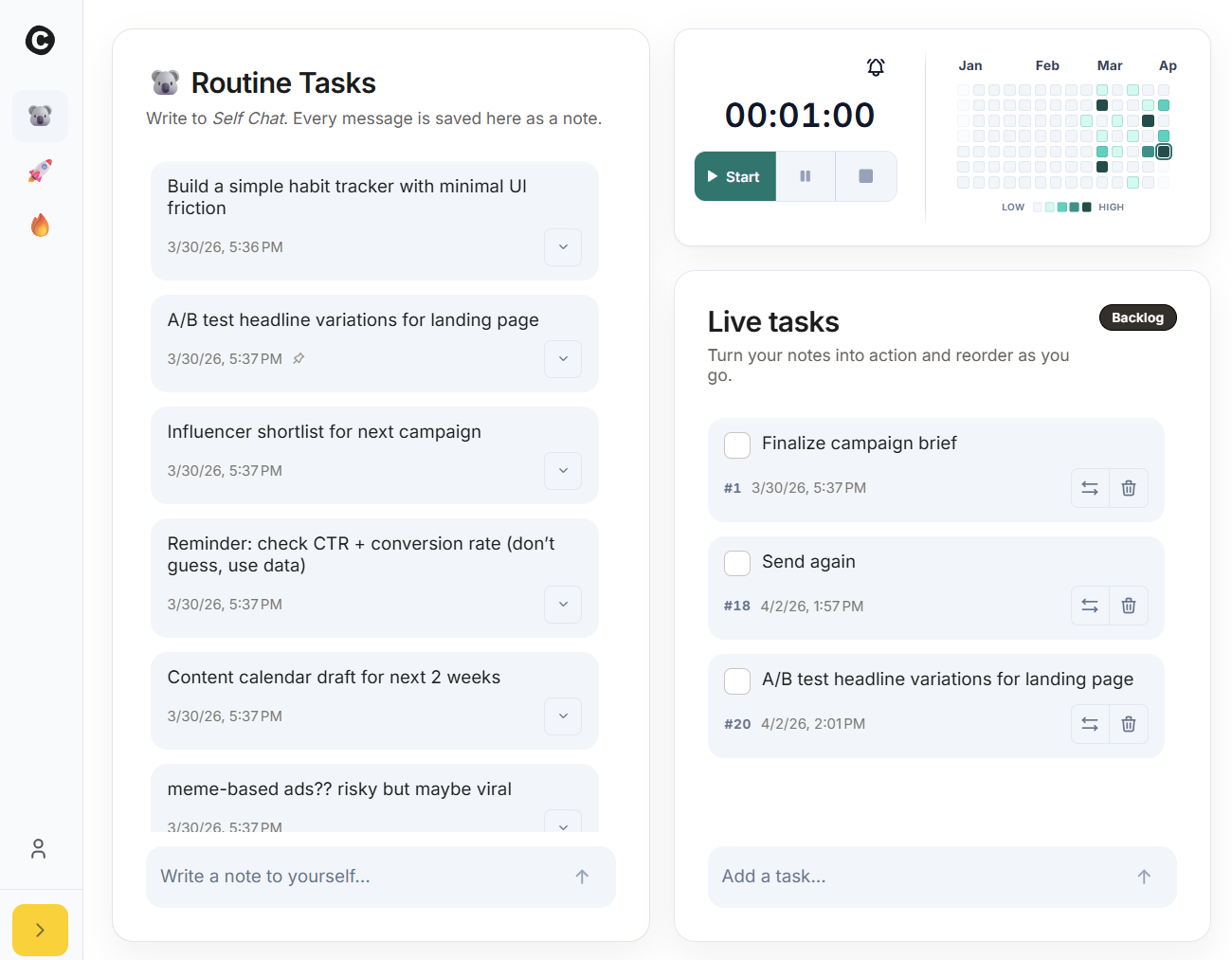
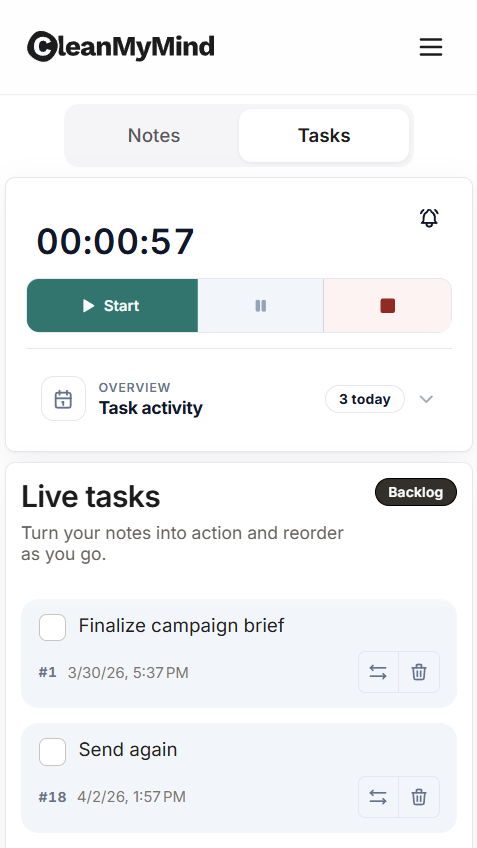
CleanMyMind is a focus and productivity app that helps you capture thoughts, turn them into tasks, and stay focused—all in one place. It reduces context switching by keeping capture, tasks, and focus together, so you spend less time organizing and more time doing.
People with too many thoughts and not enough action. Knowledge workers, students, creators, and anyone who struggles with focus—including those with ADHD who find traditional productivity apps overwhelming.
Most productivity tools force you to structure ideas too early or switch between multiple apps. CleanMyMind lets you capture first, organize later, and focus without distractions—keeping everything in one calm, simple interface.
Write down ideas instantly without formatting. Turn any idea into a task with one click. Use the built-in focus timer to work on your tasks in short, clear sessions. Your data stays on your device.
Unlike complex project management tools, CleanMyMind is designed for simplicity. No account required. No learning curve. Privacy-first design with local storage. Just open the app and start working.
Staying focused is hard when your tools work against you.
You write things down... and nothing happens.
Too many tasks, no clear starting point.
Ideas show up at the worst time.
Every switch breaks your momentum.
Most tools force structure too early. Just write, then decide what matters.
No rewriting. No moving between apps. Just turn a thought into something actionable.
Capture ideas, manage tasks, and focus in the same place.
No setup, no learning curve. Just open the app and begin.
Capture ideas, turn them into tasks, then focus. All in one place.
Just write. No structure needed.
Pick what matters and turn it into a task.
Start a timer and focus on one thing at a time.
Capture ideas, turn them into tasks, and stay focused without juggling tools.
Just write. No formatting, no structure.
Turn any idea into a task in one click.
Keep tasks simple and avoid overwhelm.
Work in short, clear bursts without distractions.
Stay in motion without slowing down.
Your data is handled securely and never sold or shared.
Every switch breaks your focus.
Keep everything in one place and stay in flow.
The same simple flow works for planning, studying, creative work, or daily tasks.
Dump everything, pick a few tasks, and start.
Capture ideas instantly and come back to them later.
Turn notes into tasks and focus on one thing at a time.
Keep small tasks out of your head and in one place.
Real feedback from real users.
"Finally, an app that lets me think first and organize later. I’ve tried dozens of task apps, and this is the one I actually keep using."
"As someone with ADHD, most productivity tools overwhelm me. CleanMyMind feels calm, simple, and much easier to stick with."
"I like how fast it is. I can capture an idea, turn it into a task, and get back to work without losing momentum."
No signup, no tracking. Your notes and tasks stay on your device.
Open CleanMyMind and start in seconds. No signup required.
Your notes and tasks stay in your browser. Nothing is uploaded to the cloud.
No analytics, no third-party scripts. Nothing is sent to external services.
Short answers so you know what to expect.
Your data is stored securely and used only to provide the app. We don’t sell your data.
No. You can open the app and start right away without signing up.
Not yet by default. Sync and saved accounts may be added or expanded later.
Not yet. Export may be added in a future update.
Any data stored locally in your browser may be removed. If you want to keep it, avoid clearing site data unless you’ve saved it another way.
Live tasks are what you’re doing now or soon. Backlog is for ideas and tasks you want to keep for later. This keeps your active list smaller and easier to focus on.
Pick a duration, start the timer, and work on one or a few tasks. When it ends, take a short break or start another session.
Some parts may still depend on connectivity. Core actions are designed to feel fast and lightweight, but full offline support may vary.
Yes. The app is designed to keep you on the keyboard as much as possible so you can move quickly without relying on the mouse.
Yes. CleanMyMind is free to use.
Open CleanMyMind and start your next focus session. No account required.
No signup. No credit card. Start in seconds.